

A multipurpose Jekyll theme with ready-made block designs for agencies, portfolios, studios, startups, and SaaS teams.
Version 2.3.1Updated
Jekyll themes
Premium and free Jekyll themes for agencies, portfolios, startups, and blogs. Fast, responsive, and ready for GitHub Pages, Netlify, or Cloudflare Pages.
A multipurpose Jekyll theme with ready-made block designs for agencies, portfolios, studios, startups, and SaaS teams.
Version 2.3.1Updated

A creative business and startup theme for building a bold, flexible digital presence.
Version 1.1.0Updated
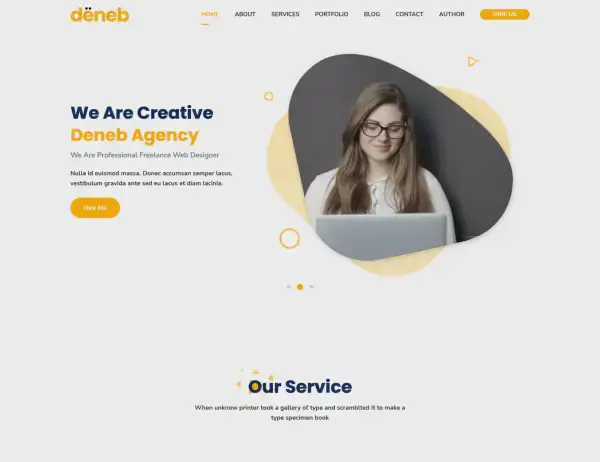
A clean, white digital agency theme for Jekyll 4, with light and dark mode, pages built from reusable sections, a blog and right-to-left support.
Version 3.0.0Updated
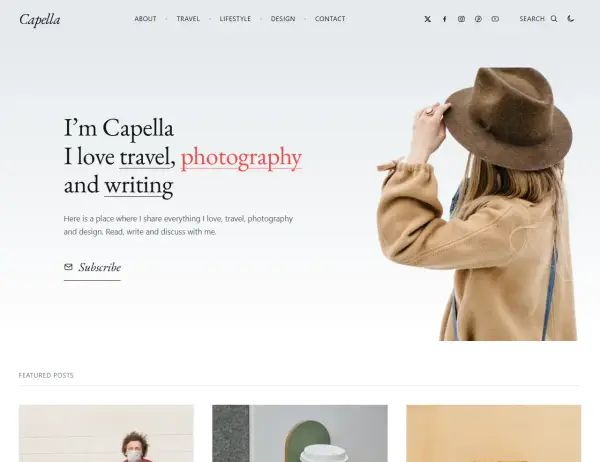
A fast, elegant blog theme for travel, lifestyle and photography writers, with three home pages, two post layouts, a sidebar you arrange, search, newsletter and contact forms, and 22 ready-made block variants.
Version 1.0.0Updated
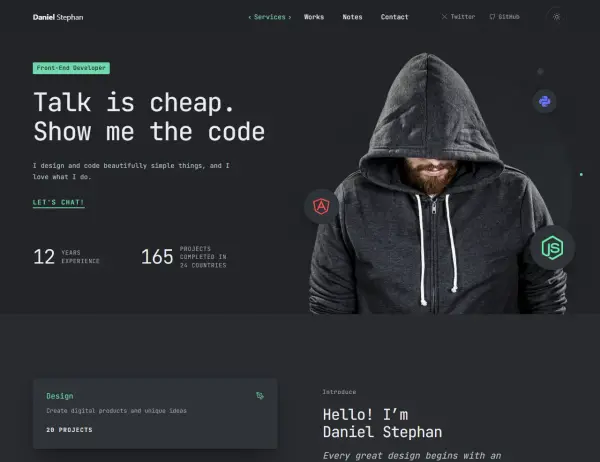
A fast, dark, monospace portfolio theme for front-end developers and designers, with works and project pages, a blog, a contact form and 15 ready-made section variants.
Version 1.0.0Updated
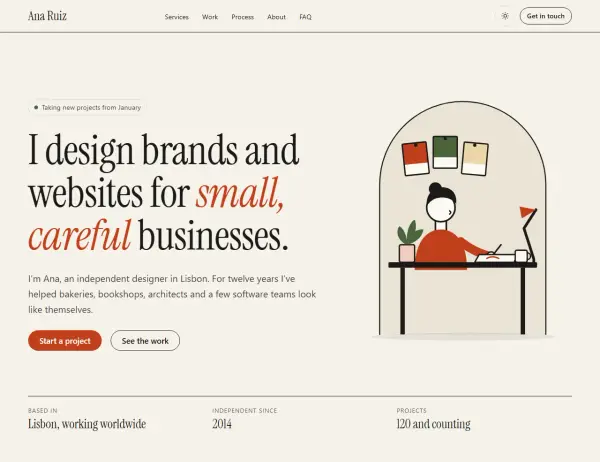
A free one-page Jekyll theme for freelancers and small studios. Light and dark mode, illustrations that match your colours, a contact form with no JavaScript, and it works on GitHub Pages in minutes.
Version 1.1.0Updated

Creative agency and portfolio theme for makers who want a polished, flexible home on the web.
Version 1.1.0Updated

A creative agency theme for portfolios that need structure, confidence, and room to show the work.
Version 1.1.0Updated

A creative portfolio and agency theme for presenting projects with a little more momentum.
Version 1.1.0Updated

A clean one-page business theme for agencies, freelancers, and small studios.
Version 1.0Updated
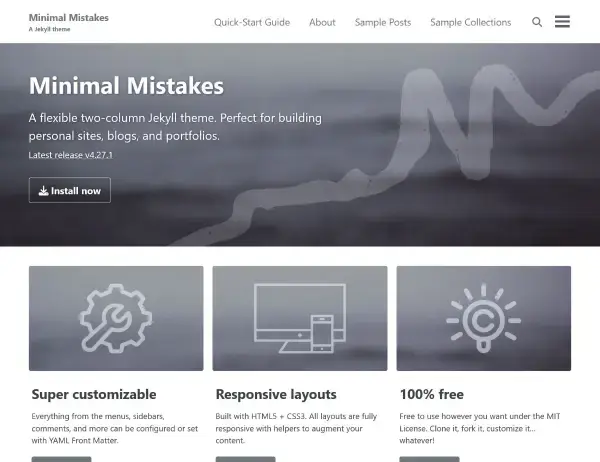
A minimal, flexible Jekyll blog theme for writing, publishing, and content-led personal sites.
Version 4.26.1Updated
Buying guide
Start with what the site has to do, then pick from the list below. Each theme name links to its page, with a live demo and documentation.
If you build sites for many clients, Sandbox and Snowlake give the most variety. If you want less to maintain, a focused theme such as Livvic or Alcor is simpler. You can also compare every theme side by side in the table below.
Open the live demo and read the documentation first. Both are linked from every theme page. A few details are worth checking:
Jekyll turns Markdown into a static website: no database to secure, no plugins to patch, and pages that load fast from any CDN. It is the engine behind GitHub Pages, so hosting can be free, and your whole site lives in Git, with every change versioned. If you wonder whether it is still maintained, read Is Jekyll dead?.
GitHub Pages’ built-in build runs Jekyll 3.10.0 and a fixed list of plugins (versions). A theme that needs more than that must be built with a GitHub Actions workflow instead.
See Jekyll themes for GitHub Pages for the full comparison. You can also host any of them on Netlify or Cloudflare Pages, as described in how to deploy a Jekyll site on Cloudflare Pages.
Every paid theme includes responsive layouts that work from phones to large screens, documentation that walks you from install to deploy, six months of support from the person who built it, and future updates. The license covers one website or client project. These Jekyll templates are plain files, so you keep full control of the source.
Compare
Version, last update, use and price for every theme here, with a link to each live demo.
| Theme | Built with | Best for | Version | Price | Links |
|---|---|---|---|---|---|
| Snowlake Jekyll Theme | Jekyll | Agency, Business | 2.3.1 · updated Nov 29, 2026 | $79 | Live demo |
| Sandbox Jekyll Theme | Jekyll | Business, Portfolio | 1.1.0 · updated May 22, 2025 | $99 | Live demo |
| Deneb Jekyll Theme | Jekyll | Business | 3.0.0 · updated Nov 14, 2026 | Live demo | |
| Capella Jekyll Theme | Jekyll | Blog | 1.0.0 · updated Nov 23, 2026 | $59 | Live demo |
| Izar Jekyll Theme | Jekyll | Portfolio | 1.0.0 · updated Nov 13, 2026 | $59 | Live demo |
| Alcor Jekyll Theme | Jekyll | Portfolio | 1.1.0 · updated Nov 27, 2026 | Free | Live demo |
| Livvic Jekyll Theme | Jekyll | Portfolio | 1.1.0 · updated Apr 1, 2025 | $49.99 | Live demo |
| Dexfolio Jekyll Theme | Jekyll | Portfolio, Agency | 1.1.0 · updated May 10, 2025 | $79 | Live demo |
| Miles Jekyll Theme | Jekyll | Portfolio, Business | 1.1.0 · updated Apr 11, 2023 | $79 | Live demo |
| Agency Jekyll Theme | Jekyll | Portfolio | 1.0 · updated Jan 1, 2022 | Free | Live demo |
| Minimal Mistakes Jekyll Theme | Jekyll | Blog | 4.26.1 · updated Mar 3, 2025 | Free | Live demo |
Questions
Can’t find your answer here? Ask, and the developer who built the theme will reply.
Ask a questionA Jekyll theme is a ready-made design and layout set for Jekyll, the static site generator behind GitHub Pages. You write content in Markdown and Jekyll turns it into a fast, secure website with no database.
Free themes are great for simple blogs. Premium themes add many more page layouts, polished design, documentation, and direct support, which saves days of work on a business or client site.
Yes, every theme here builds to a static site. Alcor and Izar build with GitHub Pages' own build, while Snowlake, Sandbox, Deneb and Livvic publish through a GitHub Actions workflow. All of them also deploy to Netlify and Cloudflare Pages.
No. You need Ruby installed to run Jekyll locally, but customizing a theme means editing _config.yml, data files, and Markdown, not writing Ruby code.
The full theme source, documentation, a license for one website or client project, six months of support, and future updates, delivered instantly after checkout.
For a developer or front-end designer, Izar is a dark, fast portfolio with a page for every project. For photographers and creative studios, Dexfolio has a filterable project grid and 31 inner pages. For one simple page, Alcor is free.
Yes, three. Alcor is our own free one-page theme under the MIT license. Agency (by Yoon Kim) and Minimal Mistakes (by Michael Rose) are free open-source themes by other authors, listed as picks and not supported by Tortoiz Themes.
Download the theme, run bundle install, then bundle exec jekyll serve to preview it on your computer. Set your details in _config.yml, replace the sample content, and deploy the built site. You need Ruby installed first, and each theme's documentation covers the steps.