

Tortoiz Themes · Premium
Livvic Jekyll Theme
Creative agency and portfolio theme for makers who want a polished, flexible home on the web.
GitHub Pages themes
Free and premium Jekyll themes you can host on GitHub Pages at no cost, with a custom domain and HTTPS. Here's which ones work out of the box and how to deploy the rest in minutes.
Tortoiz Themes · Premium
Creative agency and portfolio theme for makers who want a polished, flexible home on the web.

Tortoiz Themes · Premium
A multipurpose Jekyll theme with ready-made block designs for agencies, portfolios, studios, startups, and SaaS teams.

Yoon Kim · Free
A clean one-page business theme for agencies, freelancers, and small studios.

Tortoiz Themes · Premium
A creative business and startup theme for teams that want a strong visual opening.

Tortoiz Themes · Premium
A creative agency theme for portfolios that need structure, confidence, and room to show the work.

Tortoiz Themes · Premium
A creative portfolio and agency theme for presenting projects with a little more momentum.
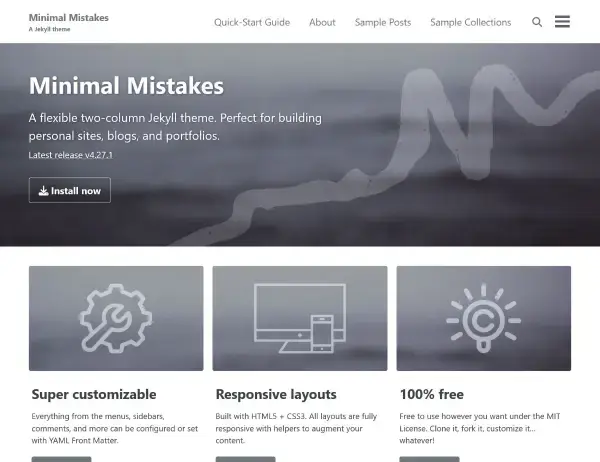
Michael Rose · Free
A minimal, flexible Jekyll blog theme for writing, publishing, and content-led personal sites.

Tortoiz Themes · Premium
A creative business and startup theme for building a bold, flexible digital presence.
GitHub Pages can build Jekyll sites for you, but only with an approved list of plugins and a fixed Jekyll version. Simple themes like Minimal Mistakes work with that built-in build directly. Feature-rich themes use more plugins and gems, so they build with a GitHub Actions workflow instead. It's still free, still automatic on every push, and it gives you full control over the Jekyll version.
Gemfile and Gemfile.lock..github/workflows/pages.yml and push. Your site goes live at username.github.io/repository a minute later.name: Deploy Jekyll site to Pages
on:
push:
branches: [main]
permissions:
contents: read
pages: write
id-token: write
jobs:
build:
runs-on: ubuntu-latest
steps:
- uses: actions/checkout@v4
- uses: ruby/setup-ruby@v1
with:
ruby-version: '3.3'
bundler-cache: true
- id: pages
uses: actions/configure-pages@v5
- run: bundle exec jekyll build --baseurl "${{ steps.pages.outputs.base_path }}"
env:
JEKYLL_ENV: production
- uses: actions/upload-pages-artifact@v3
deploy:
needs: build
runs-on: ubuntu-latest
environment:
name: github-pages
steps:
- uses: actions/deploy-pages@v4| Theme | Built with | Best for | GitHub Pages setup | Price | Links |
|---|---|---|---|---|---|
| Livvic Jekyll Theme | Jekyll | Portfolio | GitHub Actions | $49.99 | Live demo ↗ |
| Snowlake Jekyll Theme | Jekyll | Agency, Business | GitHub Actions | $79 | Live demo ↗ |
| Agency Jekyll Theme | Jekyll | Portfolio | Built-in (gh-pages branch) | Free | Live demo ↗ |
| Deneb Jekyll Theme | Jekyll | Business | GitHub Actions | Live demo ↗ | |
| Dexfolio Jekyll Theme | Jekyll | Portfolio, Agency | GitHub Actions | $79 | Live demo ↗ |
| Miles Jekyll Theme | Jekyll | Portfolio, Business | GitHub Actions | $79 | Live demo ↗ |
| Minimal Mistakes Jekyll Theme | Jekyll | Blog | Built-in (remote_theme) | Free | Live demo ↗ |
| Sandbox Jekyll Theme | Jekyll | Business, Portfolio | GitHub Actions | $99 | Live demo ↗ |
Yes. GitHub Pages hosts static sites for free from a public repository, including a free github.io address and support for your own custom domain with HTTPS.
GitHub Pages' built-in Jekyll build only allows a short list of plugins and a fixed Jekyll version. Premium themes often use more, so they build with a GitHub Actions workflow, which runs your own Gemfile and then publishes the result to Pages.
For public repositories, yes. Private repositories get a monthly allowance of free Actions minutes, and a Jekyll build usually takes a minute or two.
Yes. Add your domain in the repository under Settings, Pages, then point a CNAME record (or A records for an apex domain) at GitHub. GitHub issues the HTTPS certificate for you.
Every theme here is a plain static site, so you can move to Cloudflare Pages or Netlify at any time without changing the theme.